

YukinaPercil
New member
I tried fixing this myself, but I have no idea what I'm doing wrong. It's probably on my end, but not sure of the cause. In any case, I'm unable to download files from Heliosphere directly into the game; though, it seems to work fine for updating files already installed through it.
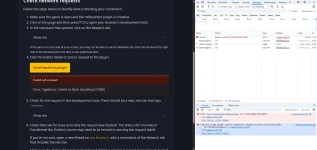
Steps I've taken:
1. Checked through different browsers (Chrome, Firefox, Edge)
2. Whitelisting
3. Disabling all extensions
4. Disabling firewall and restarting
5. Disabling firewall AND antivirus and restarting
6. Completely uninstalling Malewarebytes and restarting
7. Opening Heliosphere in-game, going to settings, going to miscellaneous to check for the Try Starting Server button (saw this suggestion for someone else's post) and said button doesn't exist.
Oh! And I'm using Windows 11.
Steps I've taken:
1. Checked through different browsers (Chrome, Firefox, Edge)
2. Whitelisting
3. Disabling all extensions
4. Disabling firewall and restarting
5. Disabling firewall AND antivirus and restarting
6. Completely uninstalling Malewarebytes and restarting
7. Opening Heliosphere in-game, going to settings, going to miscellaneous to check for the Try Starting Server button (saw this suggestion for someone else's post) and said button doesn't exist.
Oh! And I'm using Windows 11.

